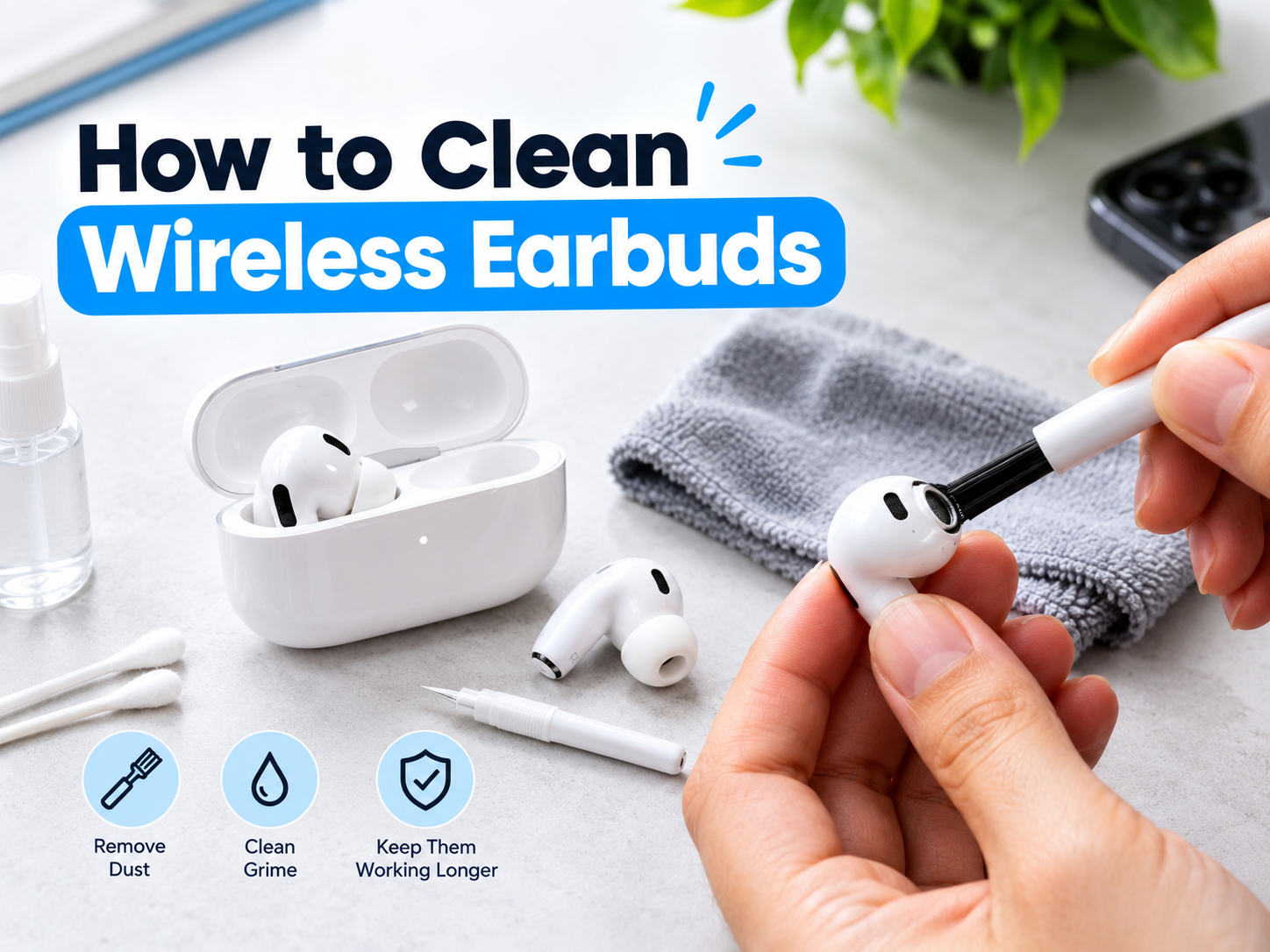
Wireless earbuds are a convenient way to listen to music, watch videos, attend online meetings, and make phone calls. However, regular use can cause earwax, dust, sweat, and dirt to accumulate on the earbuds and inside their charging case. Over time, this buildup can affect hygiene, sound quality, and charging performance.
If you want to learn how to clean wireless earbuds, it is important to use the correct cleaning methods. Wireless earbuds contain small speakers, microphones, batteries, and electronic components that can be damaged by excessive moisture or improper cleaning tools.
In this guide, you will learn how to clean wireless earbuds safely, remove earwax from speaker mesh, clean silicone ear tips, maintain the charging case, and avoid common mistakes that could damage your devices.
Why Is It Important to Clean Wireless Earbuds?
Wireless earbuds sit inside or near your ears, making regular cleaning an important part of their maintenance. Every time you use them, they can collect natural skin oils, earwax, sweat, and particles from your surroundings.
Cleaning your earbuds regularly can help you:
- Remove visible earwax and dirt.
- Maintain better personal hygiene.
- Prevent debris from accumulating around the speaker mesh.
- Keep silicone ear tips cleaner and more comfortable.
- Maintain the charging contacts and charging case.
- Identify damage or blockages before they become more serious.
Cleaning cannot guarantee that every hygiene problem will be prevented, but careful maintenance can reduce the accumulation of dirt and help keep your earbuds in better condition.
What Do You Need to Clean Wireless Earbuds?
You do not need expensive equipment to clean most wireless earbuds. A few suitable tools can help you remove dirt without damaging delicate components.
- Soft, dry cloth: Useful for wiping the outer surfaces of earbuds and the charging case.
- Soft-bristled brush: Helps remove loose debris from suitable external surfaces.
- Dry cotton swabs: Useful for carefully cleaning accessible areas and charging case corners.
- Clean hands: Help prevent additional dirt from transferring onto the earbuds.
- Manufacturer-approved cleaning materials: Use these when the manufacturer recommends a particular cleaning method.
Some manufacturers permit a lightly dampened cloth or specific cleaning solutions for certain surfaces. Others require dry cleaning only. Always check the instructions for your exact earbud model before using liquids or cleaning products.
How to Clean Wireless Earbuds Step by Step
Step 1: Disconnect and Turn Off Your Earbuds
Before cleaning your earbuds, disconnect them from your phone and turn them off if your model supports this function. Remove them from the charging case and keep the case away from liquids.
Do not clean your earbuds while they are charging. Disconnecting them first helps reduce the risk of accidental electrical problems and makes the cleaning process easier.
Step 2: Inspect the Earbuds
Examine the earbuds under good lighting. Look for visible earwax, dust, sweat marks, or dirt around the speaker mesh, silicone tips, microphone openings, and outer shell.
Check whether the speaker mesh appears blocked. If one earbud sounds quieter than the other, debris may be one possible cause, although software settings, balance controls, or hardware problems can also affect sound.
Avoid inserting sharp objects into small openings. The speaker mesh and microphone components are delicate, and pushing debris further inside can make the problem worse.
Step 3: Wipe the Outer Surface
Use a clean, soft, dry cloth to wipe the outer surfaces of the earbuds. Move gently around the body and remove visible dirt without applying excessive pressure.
Pay particular attention to areas that regularly touch your skin. Avoid pressing hard against the speaker mesh, microphone openings, sensors, or other delicate components.
If your manufacturer allows a lightly dampened cloth for the outer shell, follow its specific instructions. Never soak the earbuds or allow liquid to enter their openings.
Step 4: Clean the Speaker Mesh Carefully
The speaker mesh is one of the most sensitive parts of a wireless earbud. Earwax and dust can collect around it and potentially interfere with sound output.
To clean it safely:
- Hold the earbud so the speaker opening faces downward when practical.
- Use a soft, dry brush if the manufacturer recommends this method.
- Brush gently across the accessible surface to loosen visible debris.
- Avoid pushing earwax into the mesh.
- Do not insert pins, needles, toothpicks, or other sharp objects into the opening.
Do not use compressed air unless the manufacturer specifically approves it. Strong airflow can push debris deeper into the device or damage delicate components.
If earwax is firmly lodged inside the speaker mesh, stop rather than applying more pressure. Consult the manufacturer’s cleaning instructions or a qualified repair service.
How to Clean Silicone Ear Tips
Many in-ear wireless earbuds come with removable silicone ear tips. These tips can collect earwax, sweat, and skin oils during everyday use.
If your ear tips are removable, follow these steps:
- Gently remove the silicone tips according to the manufacturer’s instructions.
- Check the instructions to determine whether the tips can be washed.
- If washing is permitted, clean the tips using the recommended method.
- Allow them to dry completely before putting them back on the earbuds.
- Make sure the tips are securely attached before using the earbuds again.
Never assume that every removable ear tip is safe to wash. Some materials and designs have specific cleaning requirements.
Do not put wet silicone tips back onto your earbuds. Moisture can enter the speaker opening and potentially damage the electronic components.
How to Clean the Wireless Earbuds Charging Case
The charging case also collects dust, lint, and dirt. Since the earbuds spend much of their time inside the case, keeping it clean is an important part of maintaining your wireless earbuds.
1. Remove the Earbuds
Take the earbuds out of the case and disconnect the case from its charging cable. If the case has a power button or other controls, follow the manufacturer’s instructions before cleaning.
2. Wipe the Outside
Use a soft, dry cloth to remove dust and fingerprints from the case. If the manufacturer permits a lightly dampened cloth, make sure no moisture enters the case openings or charging port.
3. Clean the Inside Carefully
Use a dry cotton swab or a soft brush to remove loose debris from accessible corners. Be especially careful around the areas where the earbuds sit.
Avoid scraping the interior with metal objects. Do not pour cleaning liquids into the case or allow moisture to collect around the charging contacts.
4. Inspect the Charging Contacts
The charging contacts connect the earbuds to the case. Dirt on these contacts can sometimes prevent proper charging.
Inspect the contacts for visible debris. If cleaning is needed, follow the manufacturer’s recommended method and use an appropriate dry cleaning tool. Avoid applying liquids unless the manufacturer specifically instructs you to do so.
Before placing the earbuds back in the case, make sure both the earbuds and the case are completely dry.
How Often Should You Clean Wireless Earbuds?
The ideal cleaning schedule depends on how often you use your earbuds, your environment, and the manufacturer’s instructions.
- After heavy workouts: Wipe away sweat and allow the earbuds to dry according to the manufacturer’s guidance.
- Every few days: Inspect the earbuds and remove visible dirt when needed.
- Once a week: Consider a more thorough inspection and cleaning if you use your earbuds regularly.
- When sound becomes muffled: Check for visible debris and follow the recommended cleaning procedure.
- When charging becomes unreliable: Inspect the case and charging contacts for visible dirt.
These are general suggestions rather than fixed rules. Follow the maintenance schedule recommended for your specific earbuds, especially if they have special coatings or water-resistance limitations.
Common Mistakes to Avoid When Cleaning Earbuds
Using Too Much Water
Even earbuds advertised as water-resistant may not be waterproof. Water resistance can also change over time because of wear and damage.
Never immerse earbuds in water unless the manufacturer explicitly permits it. Avoid pouring water into speaker openings, microphones, charging ports, or the case.
Using Sharp Objects
Needles, pins, knives, and other sharp tools can damage speaker mesh and internal components. They may also push earwax further into the earbud.
Use suitable soft cleaning tools and stop if debris cannot be removed safely.
Using Unapproved Cleaning Chemicals
Household cleaners, strong solvents, bleach, and other harsh chemicals can damage plastic surfaces, coatings, adhesives, and silicone parts.
Use only cleaning products approved for your earbud model. Do not assume that a cleaning solution suitable for one brand is safe for another.
Putting Wet Earbuds in the Charging Case
Moisture around the charging contacts can interfere with charging and may damage the device.
Always allow the earbuds and removable tips to dry completely before returning them to the case.
Ignoring the Manufacturer’s Instructions
Different earbuds have different designs, coatings, water-resistance ratings, and cleaning requirements. A method that is suitable for one model may be unsuitable for another.
Check the manufacturer’s official support documentation before using liquids, disinfectants, or specialised cleaning tools.
How to Keep Wireless Earbuds Clean for Longer
Regular maintenance can reduce the amount of dirt that builds up on your earbuds.
- Store your earbuds in their charging case when you are not using them.
- Keep the case clean and avoid storing it in dusty places.
- Wipe away sweat after workouts, following the manufacturer’s instructions.
- Avoid sharing earbuds without cleaning them appropriately first.
- Handle the earbuds with clean hands whenever practical.
- Inspect the silicone tips and replace worn or damaged tips when necessary.
- Keep the earbuds away from excessive moisture and heat.
Good maintenance can also help you notice problems early, such as damaged ear tips, loose components, or charging difficulties.
Can Dirty Earbuds Affect Sound Quality?
Yes, debris around the speaker mesh can sometimes reduce sound output or make one earbud seem quieter than the other.
If your earbuds suddenly sound muffled, inspect the speaker openings for visible dirt. Clean them only according to the manufacturer’s instructions.
If the sound remains uneven after safe cleaning, check your phone’s left-right audio balance, volume settings, Bluetooth connection, and audio application. Persistent problems may require professional inspection.
Are Water-Resistant Earbuds Safe to Wash?
Not necessarily. Water resistance does not mean that earbuds can be washed under a tap or submerged in water.
The level of protection varies by model, and resistance may decrease as the product ages or becomes damaged. Charging cases may also have different protection ratings from the earbuds themselves.
Check the exact water-resistance rating and cleaning instructions before exposing any part of your earbuds to moisture. When in doubt, use a dry cleaning method.
Frequently Asked Questions
How do I clean wireless earbuds without damaging them?
Disconnect the earbuds, inspect them under good lighting, and use a soft, dry cloth or an approved soft-bristled brush. Avoid sharp objects, excessive moisture, and unapproved chemicals. Follow the cleaning instructions for your exact model.
Can I use alcohol to clean wireless earbuds?
It depends on the manufacturer and the specific component. Some manufacturers permit particular alcohol-based wipes on certain exterior surfaces, while others restrict their use. Do not apply alcohol to speaker mesh, microphone openings, or silicone parts unless the manufacturer explicitly approves the method.
How do I remove earwax from wireless earbuds?
Remove detachable ear tips if the manufacturer allows it and clean them according to the instructions. Use a suitable dry brush for accessible speaker mesh. Do not insert sharp objects or push wax into the openings.
Why is one wireless earbud quieter than the other?
Earwax or debris may block the speaker mesh, but audio balance settings, connection problems, and hardware faults can also cause uneven sound. Inspect the earbuds and check your device settings before seeking professional help.
Can dirty charging contacts stop earbuds from charging?
Yes, debris on the charging contacts may interfere with the connection. Inspect the contacts and clean them using the method recommended by the manufacturer. Make sure everything is dry before charging.
How often should I clean my earbuds?
Inspect them regularly and clean them whenever visible dirt or earwax accumulates. People who use earbuds during workouts or throughout the day may need to clean them more frequently.
Final Thoughts
Learning how to clean wireless earbuds can help you maintain better hygiene, remove visible dirt, and keep your earbuds in good condition. The most important rule is to clean carefully and avoid damaging the speaker mesh, microphones, charging contacts, or internal electronics.
Use suitable tools, keep moisture away from sensitive components, and follow the manufacturer’s cleaning instructions. If debris is trapped inside the device or an earbud continues to have sound or charging problems, seek professional assistance rather than attempting a risky repair.
If you are looking for wireless audio accessories, explore the available options at Techify.pk. You can also check the Toocki Bluetooth 5.4 Wireless Earbuds with ANC and ENC and review the current product specifications before making a purchase.